Adsense

p[lacehoder
placehoolder
Showing posts with label touch. Show all posts

Wednesday, August 1, 2012

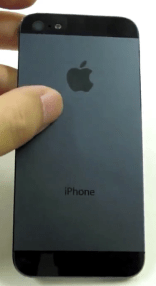
New Iphone 5 Leaked Images

  I'm extremely excited for the iphone 5 to come out.  I've been waiting for this long await upgrade for a while.  what i hope it will have is a bigger screen, more ram, quad core, and better battery.   So of course with all this excitement everyone's including myself have been having, there has been alot of rumors going about.  The thing with Rumors is that most of it are false.  However, recently supposedly "leaked" images of the iphone 5 seems very probably.  i honestly think the images are real and this is the beta version of the iphone 5.  if so, it looks so far.  I love the alimony alloy rim casing around the phone itself, makes it look nice and makes it sturdy.  on top of that, the screen does alot bigger.  I can not wait for this device!


Monday, January 10, 2011

How to Get Free Internet on Your iPhone

    There has been loophole that enables you to get free Edge internet acess on your iphone.  please note that this requires a t-mobile sim card.  this has been tested on prepaid and a monthly plan card.  this ONLY enables you to surf the internet, it does not allow external apps like cyadia, google maps,  tom-tom etc, google earth and etc to access the internet.   this only allows you to browse the world wide web.


step 1a) to do this, navigate to settings->general->network->cellular data network. turn on cellular data, then lick "APN" and type in "wap.voicestream.com".  

step 2a) turn on safari or any other browser you have and DO NOT accept the data plan page pops up, instead type in the  address bar "ifailhard.com/tmobile/iphone".  with this site, you can use send free sms text messages or use the proxy to surf any site.

if  you want a quicker and better surfing Experience, then read this:
  You may find that it is annoying to have the data plan page pop up each time and you may also find that the proxy does not load some webpages properly (i.e images not loading correctly or text alignment being messed  up), then use this following method.

step 1b)  download this hacked opera mini browser from here (enjoy the song :D):
http://www.fileserve.com/file/Xvv6bUU

step 2b) extract the rar file, install the opera ipa file (you need Appsync to do this).  first, we will need the internet  for first time time because we need to configure the browser, so turn on wifi and open the app.  go to settings (wrench icon) -> scroll down to advanced ->protocol, change it from socket to http. close the app and turn off the internet,

step 3b) do step 1a above, turn on cellular data, turn on opera browser and you should not longer be bothered by the data plan page and moreover,  you can have a full web surfing experience and won't need to use the proxy site above.

that's it.

A Look at iPod Touch 4G HDR Images

     As many of you have heard, the ipod touch 4g is now equipped with a camera. However the camera is only 0.7 megapixel, this has turned many potential buyers down, due to the lack of confidence in the capabilities of the ipod touch 4g's back camera.  As an owner of an ipod touch 4g and an iphone 4g, i say leave your doubts behind the door.  the ipod touch 4g's camera produces images that rivals it's phone counterpart.  Even though the iphone 4g's camera is 5MP, the images it produces are not that much better than the ipod touch 4g.  the ipod touch 4g is very good for it's price and the camera does it function well, i am very impresed by it.

    With the question of the ipod touch's camera capabilities aside, there is a way to get even better quality images with the camera.  This method uses HDR (high dynamic range) to create more vibrant and crisper images.  click here to read more about HDR: http://en.wikipedia.org/wiki/High_dynamic_range_imaging.  However, there is one slight problem, the HDR function is only enabled in the iphone 4 and not the ipod touch 4g.  Not to worry, there are several ways to still enable HDR. one way is to use a plist hack to enable NATIVE HDR.  If you are interested in this method, you can do more research on it as i will not be talking about it further, as native HDR produces images that are worse than normal. Images become grainy and just looks worse overall whilst using native HDR.  what i do recommend is using HDR apps such as TrueHDR or ProHDR, i personally use ProHDR and the results are astonishing.
Here is a video i made, comparing non-HDR images and HDR images taken using ProHDR.  Pictures Were taken in Central Park, NYC.


Related Posts Plugin for WordPress, Blogger...